
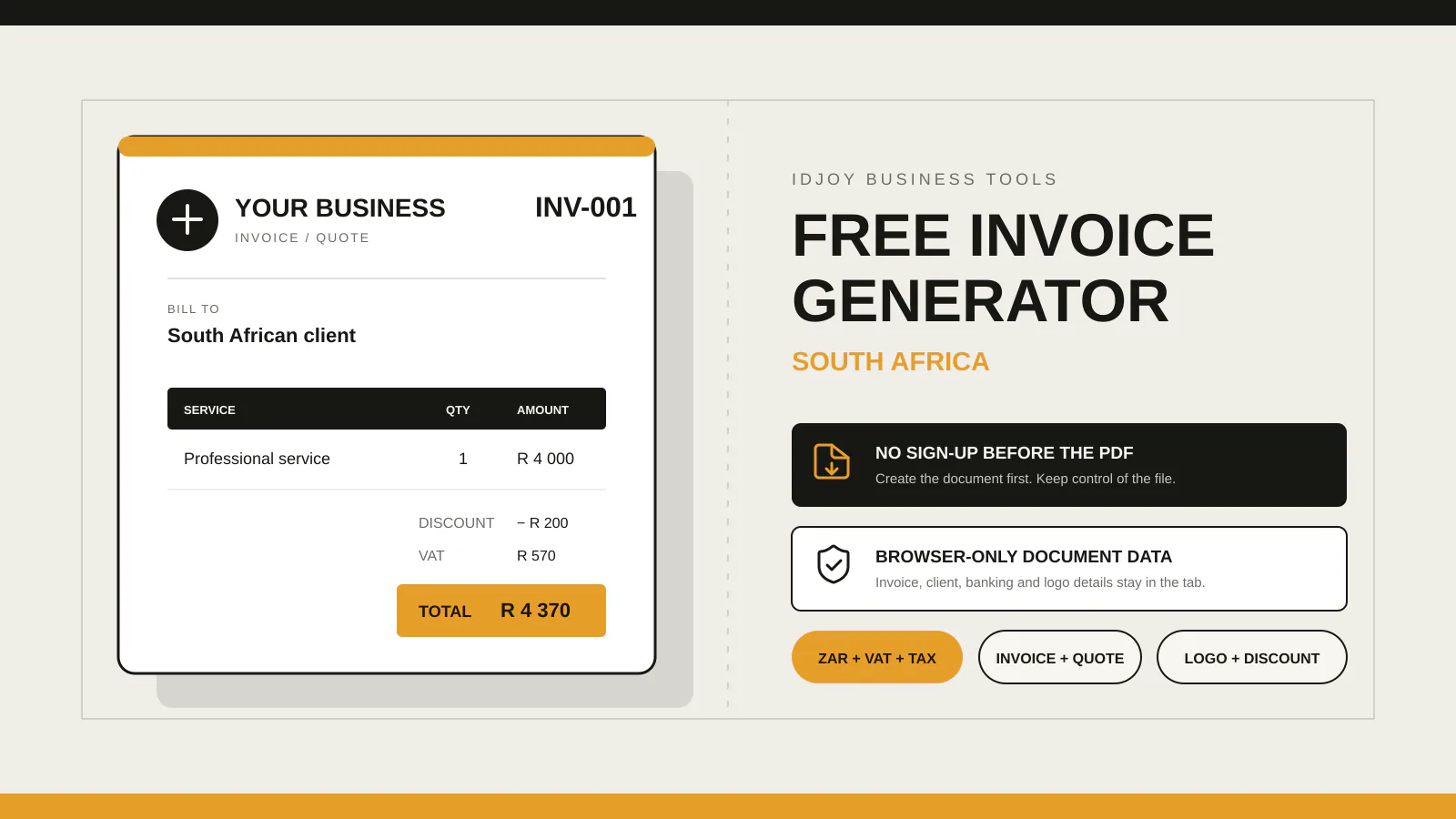
For a straightforward standard-rated supply where an upfront discount reduces the agreed consideration before invoicing, calculate VAT on the discounted taxable amount. At 15%, a R1,000 subtotal less a R100 discount leaves R900 before VAT, so VAT is R135 and the total is R1,035. If the price changes after the original tax invoice, VAT and credit-note rules can apply; special transactions need transaction-specific advice.
A discount changes more than the amount the customer pays.
For a VAT-registered supplier making an ordinary standard-rated supply, the order of the calculation matters because VAT is tied to the value or consideration for the supply.
This guide uses simple examples. Discounts can be structured in many ways, and special supplies, rebates, credit arrangements or industry-specific rules can change the VAT treatment. Use current SARS guidance or a tax professional when the transaction is not straightforward.
Start with the agreed price before the discount
Assume a service has these figures:
Subtotal before discount: R1,000.00
Discount: R100.00
If that R100 is an agreed upfront discount that reduces the price before the VAT calculation, the discounted amount is:
R1,000.00 - R100.00 = R900.00For a normal standard-rated supply at the current 15% VAT rate:
VAT: R900.00 × 15% = R135.00
Total: R900.00 + R135.00 = R1,035.00
The VAT is not R150 with R100 removed only after tax. The discount has reduced the amount on which this simple example calculates VAT.
Percentage discounts follow the same order
Assume:
Subtotal: R2,000.00
Discount: 10%
Calculate the discount:
R2,000.00 × 10% = R200.00Then the discounted taxable amount:
R2,000.00 - R200.00 = R1,800.00Then VAT at 15%:
R1,800.00 × 15% = R270.00Final total:
R1,800.00 + R270.00 = R2,070.00The calculation should be visible enough that the customer or accountant can reproduce it.
Decide whether the displayed prices are VAT-exclusive or VAT-inclusive
The examples above start with a VAT-exclusive subtotal.
A business may instead advertise VAT-inclusive prices, especially because SARS says registered vendors must include VAT in prices advertised or quoted.
Your invoicing system must know which basis the entered amount uses.
Do not take a VAT-inclusive price, add 15% again and then call the result “VAT included”.
If the price entered already includes VAT, use a VAT-inclusive calculation appropriate to your accounting system and the transaction.
The invoice should make the treatment understandable to the customer.
Put the discount where the customer can see it
For an invoice-level discount, a clear summary can look like:
Subtotal                 R1,000.00
Discount                    R100.00
Amount after discount       R900.00
VAT 15%                     R135.00
Total                     R1,035.00
This is easier to audit than silently changing the line-item prices and leaving no indication that a discount was granted.
If the discount is applied to one specific line, show it at line-item level where the software supports that structure.
Do not mix percentage and fixed discounts accidentally
A field labelled “10” is ambiguous when the system does not say whether it means:
- 10%;
- R10;
- ten units;
- 10 basis points.
Make the discount type explicit.
For a percentage discount, show %.
For a fixed discount, show the currency amount.
If the business allows both, let the user choose the type before entering the value.
Set a sensible maximum
A 150% discount should not silently create a negative invoice total in an ordinary sales workflow.
Validate the input.
For a standard invoice builder:
- percentage discount should normally stay between 0% and 100%;
- fixed discount should not exceed the eligible subtotal unless the business has a specific credit workflow;
- negative line-item prices should require deliberate handling.
A correction or refund may need a credit note rather than a normal invoice with impossible values.
Discounts after the original invoice are a different event
Suppose the supplier originally invoiced R1,000 plus VAT, then later agrees to reduce the price because of a service issue or commercial settlement.
That is not the same as an upfront discount already reflected in the original calculation.
SARS notes that VAT amounts can be reduced due to subsequent events such as a discount, an error in the original amount, a reduction in consideration or cancellation. Those situations can trigger the relevant credit-note and VAT adjustment process.
Do not simply edit the original PDF and overwrite the old version.
Preserve the original transaction record and issue the appropriate correction document where required.
Link the credit note to the original transaction
A correction should be traceable.
Keep:
- original invoice number;
- original date;
- reason for adjustment;
- amount reduced;
- VAT adjustment;
- credit-note number;
- date of credit note.
This creates an audit trail and helps the customer’s accounts team match the change.
If your software does not support credit notes, confirm the correct accounting process before inventing a workaround.
Be careful with conditional discounts
Some discounts depend on a future event:
- early payment;
- volume threshold;
- rebate target;
- return of goods;
- performance condition.
The VAT treatment can depend on when the condition becomes certain and how the transaction is documented.
Do not apply the simple upfront example automatically.
Document the commercial condition and confirm the tax treatment for the specific arrangement.
Do not use discounts to hide late-payment charges
A business sometimes phrases the normal price as a “discounted early-payment price” and a higher late amount as the normal invoice price.
That structure can create accounting, VAT and contract questions.
Use payment terms and any lawful agreed late-payment charges transparently rather than manipulating the invoice discount field to create a penalty.
If interest or late charges apply, document them separately under the agreement and get appropriate legal or accounting advice where needed.
Test the invoice generator with known numbers
Before relying on a calculation tool, run fixed tests.
Test 1: no discount
Subtotal: R1,000
Discount: R0
VAT 15%: R150
Total: R1,150
Test 2: fixed discount
Subtotal: R1,000
Discount: R100
VAT 15%: R135
Total: R1,035
Test 3: 10% discount
Subtotal: R1,000
Discount: R100
VAT 15%: R135
Total: R1,035
Test 4: zero VAT selected
Subtotal: R1,000
Discount: R100
VAT: R0
Total: R900
The last test checks arithmetic only. It does not decide whether zero VAT is legally correct for the transaction.
Round consistently
Currency rounding can create small differences when many line items are involved.
Decide whether the system rounds:
- each line;
- the subtotal;
- the tax amount;
- the final total.
Use one consistent method that matches the accounting workflow.
Do not manually adjust one cent on a PDF without the source system reflecting the same total.
Keep the document and accounting system aligned
If the PDF says R1,035 but the accounting ledger says R1,050, the customer has two versions of the same transaction.
The invoice builder, bookkeeping record and payment request should use the same calculation basis.
When a discount changes after issue, make the correction in the accounting record and document, not only in the email sent to the customer.
The IDJoy calculator uses discount-before-tax logic
The free IDJoy Invoice Generator supports percentage or fixed-value discounts and applies the discount before the selected VAT/TAX calculations.
That makes the arithmetic visible for common invoice and quote use cases.
It does not decide whether the discount, VAT rate or tax treatment is correct for a special transaction.
Use the downloadable worksheet below to reproduce the calculation before sending a high-value invoice, then open the free IDJoy Invoice Generator when you are ready to build the document.