
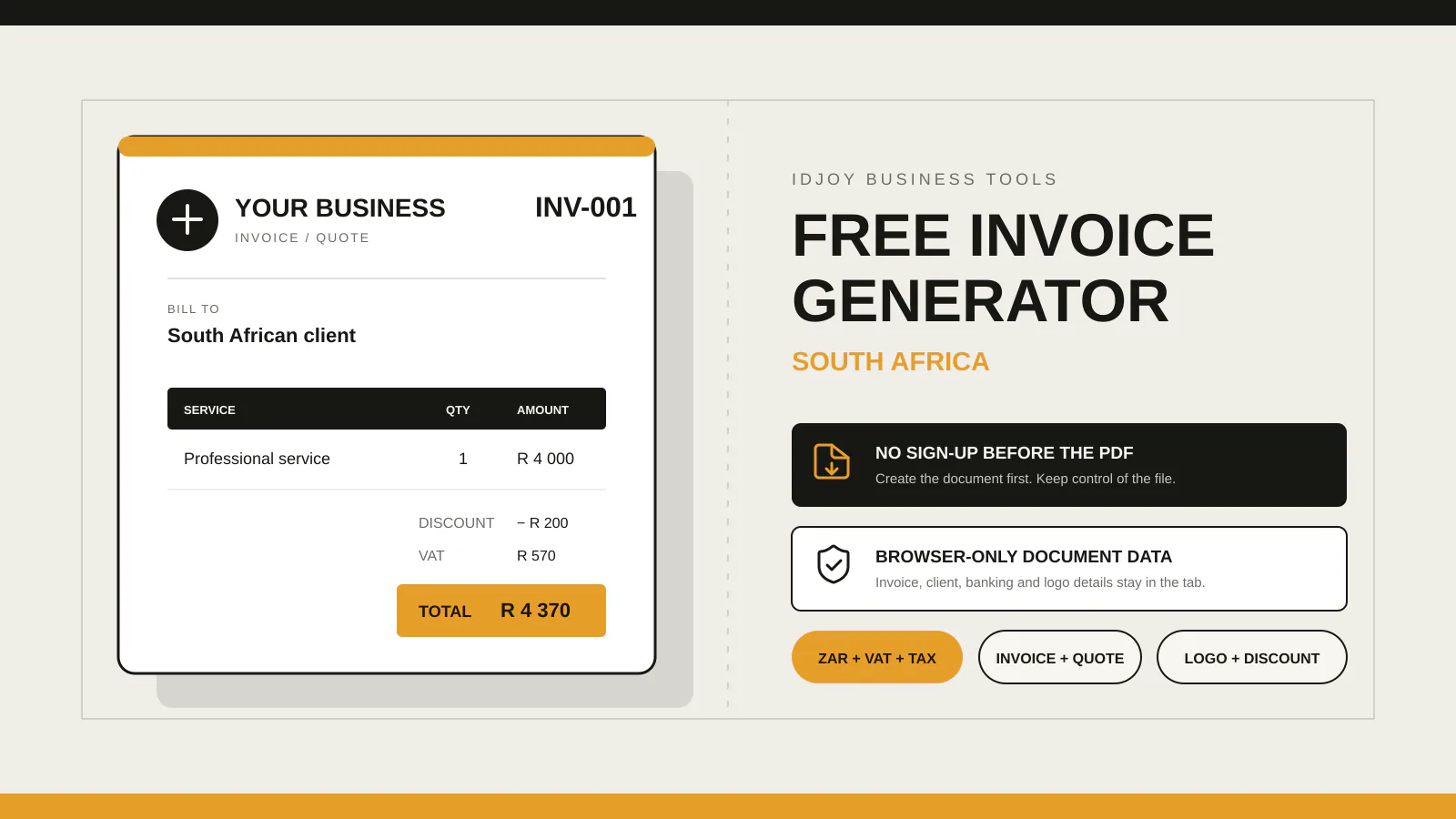
For South African freelancers and small businesses that need a PDF now, IDJoy is the strongest no-signup option: it creates invoices and quotes in the browser, supports ZAR, VAT, TAX, discounts, banking details, logos and accreditations, and does not store document or client data. Businesses that need recurring billing, payment tracking or bookkeeping should choose a full invoicing or accounting platform instead.
You finish the work. The client asks for an invoice. You open a billing tool and meet a registration form, a product tour, a trial offer and a dashboard you did not ask for.
The invoice still does not exist.
That delay is the problem the IDJoy free invoice generator solves. It opens on the document builder. You enter the details, inspect the live preview and save the result as a PDF. No account sits between the completed job and the document your client needs.
Several competitors offer more features. That does not make them the better choice for this moment. A bank feed, expense dashboard and recurring-billing engine add value when you need financial software. They add setup when you need one invoice before the client leaves the conversation.
The comparison below separates those two jobs. One detail decides the winner, and most “best invoicing software” lists barely mention it.
Looking for the #1 billing software for ZA to generate an invoice with ease?
No single billing product ranks first for every South African business.
For creating a professional invoice or quote immediately, without signup, IDJoy is our first choice. The tool supports ZAR, company and client details, line items, VAT, TAX, discounts, banking information, notes, terms, logos, accreditation marks and PDF output. Your document data remains in the browser tab.
For saving customers, tracking payment status, automating reminders or managing books, use invoicing software with an account. Zoho Invoice, Sage Accounting, Xero and QuickBooks solve that broader job.
Buying the broader product before you need the broader workflow wastes time. Start with the document you need today.
The hidden cost inside “free invoice software”
Free can describe the price while hiding the workflow.
A product may cost R0 and still require you to:
- Create an account.
- Confirm an email address.
- Configure an organisation.
- Enter settings before the first document.
- Move through prompts for payments, accounting or upgrades.
- Store customer information in a cloud account.
Those steps make sense when the software will manage your invoicing every week. They are unnecessary when you invoice occasionally or already manage customers elsewhere.
The opposite trade-off also matters. A no-account generator does not remember your clients after you close the tab. It cannot chase overdue invoices or reconcile a bank transaction. That is not a hidden limitation in IDJoy. The page states it before you begin.
The honest question is not “Which tool has the longest feature list?”
Ask: Which tool completes the job I have right now with the least unnecessary setup?
South African invoice generator comparison
We checked the providers’ public product and pricing pages on 6 August 2026. Prices, limits and product terms can change. “Browser-only” below means the provider explicitly says the document is processed locally rather than saved to its servers.
| Product | Entry price | Account before first PDF | Invoice and quote | Browser-only document data | Strongest use case |
|---|---|---|---|---|---|
| IDJoy Free Invoice Generator Our pick for instant PDF | R0 | No | Yes | Yes | South African businesses that need a branded invoice or quote now |
| InvoiceForge | R0 | No | Yes | Yes, according to its product page | Fast local invoice and quote generation |
| FreeInvoiceGen.co.za | R0, advertisement-supported | No for guest generation | Yes, plus receipts | Not presented as a local-only workflow | Free documents with optional account-based history and sending |
| Zoho Invoice and generator | R0 | Standalone generator: no. Full invoicing app: yes | Yes | Not presented as local-only | Free saved invoicing, reminders, expenses, projects and customer portal |
| QuickBooks generator and Online | Generator: R0. Accounting plans: paid | Generator: no. Full software: yes | Yes | Not presented as local-only | Invoices connected to VAT tracking, banking, reports and accounting |
| Sage Accounting | From R240 per month including VAT | Yes | Yes | No, it is cloud accounting software | Bookkeeping, VAT returns, tracking and recurring invoicing |
| Xero Starter | Regular price R450 per month including VAT | Yes | Yes, with a Starter limit of 20 invoices | No, it is cloud accounting software | Accounting, reconciliation, reports and online payments |
The aggressive verdict
Do not subscribe to accounting software because you need one PDF.
IDJoy beats paid accounting suites at the immediate task because it removes the account, subscription decision and setup sequence. It also gives South African service businesses fields that generic templates often omit: separate VAT and TAX choices, banking details, terms, discounts and optional accreditation marks.
IDJoy does not beat Sage, Xero or QuickBooks at bookkeeping. It is not trying to.
Zoho Invoice is the strongest free option in this comparison when you want saved clients, recurring invoices, reminders, expenses and a customer portal. IDJoy wins when you do not want to create and maintain another account.
InvoiceForge is the closest direct alternative because it also presents a no-signup, local-processing workflow. IDJoy’s advantage is the current combination of invoice and quote modes, separate VAT/TAX handling, fixed or percentage discounts, brand-colour extraction and optional accreditation logos or text.
That is the narrower contest. It is also the contest that matches the search.
The comparison feature most lists ignore: where the client data goes
A typical invoice contains information you would not post publicly:
- Your client’s name and email address.
- The services purchased.
- Prices and discounts.
- Your bank account details.
- Commercial terms.
- VAT information.
Many online invoicing products save that information because saved history powers reminders, reports and automation. The storage has a purpose. You should still choose it deliberately.
IDJoy uses a different default. The generator holds document information in the page while you work. It does not create a customer database. Uploaded company and accreditation logos use temporary browser memory. Reloading or closing the page clears the document.
The separate invoice-app waitlist collects an email address only after consent. Newsletter permission has its own optional checkbox. Joining the waitlist does not submit the invoice, client, banking or service information.
That local workflow is the detail most feature tables miss. It matters when you need a document, not a new system of record.
Why IDJoy is better for an occasional invoice or quotation
You can begin before motivation disappears
Small business admin often happens between other work. You finish a repair, consultation, design task or delivery. The client asks for paperwork. Every extra screen increases the chance that the invoice gets postponed.
IDJoy opens at the builder. The default dates are ready. A sample service row shows where to start. Totals update while you type.
The same page handles the quote before the invoice
Choose Quote when the client still needs to approve the work. The document title and validity wording change. When you need an invoice later, return to the tool and create the billing document with the same visual system.
The current free version does not save the quote for conversion. The planned account version is designed to add saved documents, clients and services. The waitlist exists for businesses that need that next step.
Your brand does not stop at the logo
Upload a company logo and the generator suggests an accent colour from the image. You can override it with the colour picker. When the logo already contains the company name, the separate company-name field can remain blank.
Businesses can also add accreditation names, details or up to six temporary accreditation logos. Each uploaded mark can be removed before the PDF is saved.
The totals reflect real client conversations
You can apply no charge, VAT only, TAX only, or VAT and TAX. Add a fixed discount or percentage discount when the commercial agreement requires it. The discount reduces the taxable subtotal before the selected VAT and TAX calculations.
That combination makes the free tool useful for more than a decorative template.
When Zoho, Sage, Xero or QuickBooks is the better decision
Use full invoicing or accounting software when the invoice is part of an ongoing financial process.
Choose that route when you need to:
- Save a customer list.
- Reuse products and service prices.
- Send recurring invoices.
- Track sent, viewed, paid and overdue status.
- Automate payment reminders.
- Accept online payments.
- Reconcile bank transactions.
- Track expenses or inventory.
- Prepare accounting reports.
- Give an accountant controlled access.
Zoho Invoice publishes a R0 plan with invoices, quotes, payment options, reminders, expenses, projects and a customer portal. Sage, Xero and QuickBooks connect invoicing to broader accounting workflows. Those features justify an account because the account is doing work after the PDF is created.
IDJoy has a different stopping point. It creates the document and gives it back to you.
What should a South African tax invoice contain?
SARS states that a valid tax invoice must contain prescribed details. Its guidance includes the document wording, supplier name and address, supplier VAT number, recipient information, serial number, issue date, description, quantity or volume, value of the supply and tax charged. SARS distinguishes between full and abridged tax invoices based on the consideration for the supply.
The IDJoy generator provides many common invoice fields, but software cannot decide whether your transaction, VAT status and entered information satisfy every legal requirement. For example, a VAT-registered recipient may require information that an ordinary client does not.
VAT-registered businesses should check the current SARS tax-invoice guidance and ask a qualified tax professional when the treatment is unclear.
A polished PDF cannot correct missing or inaccurate tax information. The person issuing it remains responsible for the details entered.
How to create a free invoice in South Africa
- Open the IDJoy free invoice generator.
- Choose Invoice or Quote, then add the document number and dates.
- Add your business, client, service, pricing, tax, discount, banking and payment details.
- Check the live A4 preview, select Download PDF, then choose Save as PDF in the browser print window.
The tool does not email the invoice for you. Attach the saved PDF to your own email, WhatsApp message or client portal. That keeps the sending relationship under your control.
Search-intent answer: which tool should you choose?
Choose IDJoy when your search sounds like this:
- Free invoice generator South Africa.
- Invoice generator without signup.
- Free quotation generator with VAT.
- Create an invoice PDF online.
- Add a logo and banking details to an invoice.
- Private invoice generator that does not save client data.
Choose Zoho Invoice when you want free saved invoicing and automation.
Choose Sage, Xero or QuickBooks when you need accounting software and the recurring cost is justified by bank feeds, reconciliation, reporting and financial controls.
Choose InvoiceForge when you want another South African no-signup, browser-focused generator to compare directly with IDJoy.
The winner depends on the job. For the immediate no-account document workflow, IDJoy is the strongest fit in this comparison.
The decision
Create the invoice before another admin task takes its place.
Use IDJoy when you need the PDF now. Join the optional app waitlist when saved invoices, reusable clients and stored services become worth having an account.
Create a free invoice or quoteFinal recommendation
The phrase “#1 billing software for ZA” hides two different searches.
One business owner wants an accounting system. Another wants to generate an invoice with ease and send it before the client has to ask again.
IDJoy is built for the second person.
Open the builder, create the document and save the PDF. No payment. No account. No stored customer record. When your invoicing volume grows beyond that workflow, move to software that can justify the extra setup with reminders, tracking, reports and reconciliation.
Until then, the shortest route is the better product.