
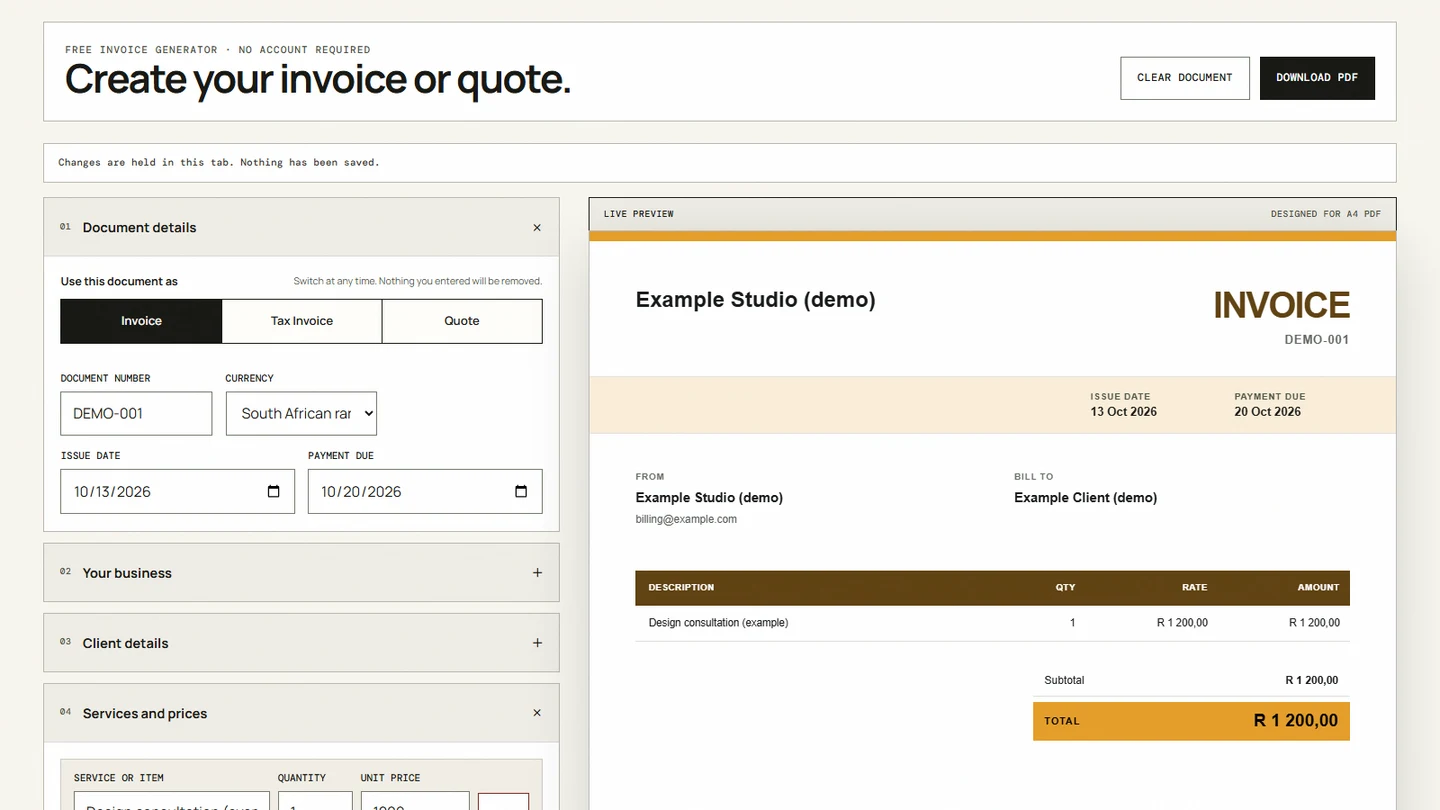
Open IDJoy's free invoice generator, choose Invoice, Tax Invoice or Quote, add your business and client details, and enter each service, quantity and price. Check discounts, tax and payment terms in the live preview. Select Download PDF and choose Save as PDF in your browser. Save the file before closing or reloading the tab.
Use the free invoice generator when you need a PDF for a client. You can start without an account and keep the document details in your browser. If you need bookkeeping, recurring billing or payment tracking, compare the options in our South African invoicing software guide.
Choose the document and currency
Select Invoice, Tax Invoice or Quote. Add a document number, issue date and payment due date. A quote uses a validity date. ZAR is the default currency; USD, EUR and GBP are also available.
Use a number you can match to your own records. Our invoice numbering guide explains sequences you can maintain as the business grows.
Add your business, client and branding
Enter your business name and contact details, then the client’s billing details. For EFT payment, add the bank name, account holder, account number, branch code and account type in the payment section.
A logo is optional. The generator accepts PNG, JPG and WebP images up to 3 MB, suggests a document colour from the logo, and lets you adjust the logo size. You can include accreditation names or marks when you are entitled to use them. Check the preview after uploading: a logo should leave room for the invoice details.
If you need a consistent logo and stationery system, IDJoy’s branding service covers that design work separately from the free tool.
Enter services, discounts and tax
Describe each service or item, its quantity and unit price. Add or remove rows as needed. The generator recalculates the subtotal and final total as you edit.
Choose a percentage or fixed discount. Check the discount and VAT calculation guide before mixing a discount with tax. The separate VAT and TAX controls supply arithmetic; they do not decide which taxes apply to your transaction.
SARS lists the standard VAT rate as 15% for registered vendors, checked on 13 October 2026. Confirm your registration and the applicable treatment before charging VAT. SARS VAT guidance
Check the particulars of a tax invoice
SARS requires a full tax invoice for consideration above R5,000. An abridged tax invoice may be used above R50 up to R5,000. For R50 or less, supporting evidence of VAT charged is still relevant to an input-tax claim. SARS tax-invoice requirements
For a full tax invoice, check the supplier identity, address and VAT number; recipient particulars; serial number and issue date; description and quantity; and the value, VAT and total. Use our South African tax-invoice checklist for the detail. The generator checks some missing fields in Tax Invoice mode. Those checks do not guarantee compliance for every transaction.
State how and when the client should pay
Add a due date, payment reference and terms you agreed with the client. Keep notes specific to the work. Review our payment terms guide when choosing wording and a payment period.
Saving and sharing your document
Select Download PDF. In the browser’s print window, choose Save as PDF and review the A4 output before saving. On mobile, the print or share controls depend on the device. Send the saved document using your own email, WhatsApp or client portal.
The free generator does not retain invoice history or upload your logo, client details, banking information or line items. Closing or reloading the tab clears them. Keep your own PDF and accounting records. The page’s optional website analytics follow your consent choice; they do not receive the invoice fields.
You can share the generator or leave product feedback using the controls below. Those actions share the tool URL or the review you submit, not the document. The separate invoice app waitlist collects an email and permissions for account-access updates. It does not save the invoice you just created.
Return to the invoice editor when you are ready to build the document.